
- In the right sidebar, click on the video you want to see.

2. Click on the CC icon  to underline it.
3. Click on the Gear icon. 
4. Scroll to Subtitles/CC and click on the arrow >. 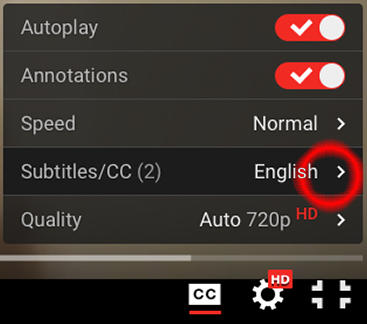
5. Scroll to Auto-translate and click on it. 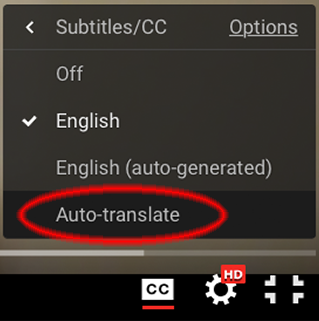
6. Scroll to the language you want and click on it. 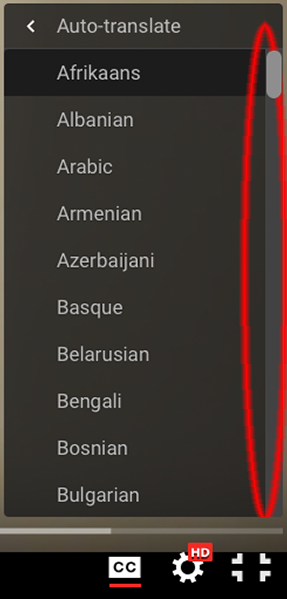
7. Video will now play with subtitles in the language you chose.
